
What’s New in the Latest iOS Beta Software Release
Apple’s iOS beta software is always a hot topic among tech enthusiasts, developers, and iPhone users eager to explore the future of iOS before it hits the mainstream. With each beta release, Apple unveils new tools, refinements, and experimental features that provide a glimpse into the next generation of the iPhone experience. The latest iOS beta software offers not just bug fixes but a range of innovative enhancements.
In this blog, we’ll dive deep into everything new in the most recent iOS beta software release. From fresh design tweaks to hidden developer tools and performance improvements, this guide breaks it all down. Whether you’re testing it already or just curious about what’s coming, here’s what you need to know.
Why iOS Beta Software Matters
Apple’s beta program is more than just early access. It’s a vital part of the iOS development lifecycle. The iOS beta software lets developers prepare their apps for upcoming changes and gives Apple feedback from real users to fine-tune the experience before the final public release.
Beta releases often reveal Apple’s vision for future iPhones and iPads. Even minor changes in the beta can hint at broader plans, like new hardware features, service expansions, or privacy innovations.
Top New Features in the Latest iOS Beta Software
Redesigned Control Center
One of the standout upgrades in the latest iOS beta software is the revamped Control Center. It now features customizable widgets, allowing users to pin frequently used settings and rearrange them. The look is more refined, aligning closely with Apple’s clean design language. The gestures feel smoother, and you can even stack similar toggles together.
Enhanced Lock Screen Widgets
iOS continues to borrow the best elements from the Apple Watch interface. The new beta expands lock screen widget options, enabling live activity updates, third-party widgets, and even interactive elements. You can now control smart home devices or monitor workouts directly from your lock screen.

Smarter Siri With On-Device Processing
Apple has pushed more of Siri’s functionality on-device, reducing the need for cloud processing. This means faster response times and better privacy. Siri in the new iOS beta software can handle more offline commands, such as launching apps, sending texts, or setting alarms, even without internet access.
iMessage Upgrades
The Messages app gets a significant refresh in the iOS beta software. You’ll find improved search filters, the ability to edit messages after sending, and enhanced emoji reactions. For frequent texters, this update is a big win.
Safari’s AI-Powered Reader Mode
Apple has introduced AI-based enhancements to Safari’s Reader Mode. Now, the browser automatically summarizes long articles, helping users digest content more quickly. This feature, still in beta, is a game-changer for productivity and accessibility.
Screen Sharing in FaceTime
FaceTime now supports collaborative screen sharing with control access. In the latest beta, users can not only share their screens but also let others interact with the shared content — perfect for remote assistance, co-browsing, or app walkthroughs.
New Accessibility Tools
Apple is doubling down on inclusive design. The iOS beta software introduces Voice Access for controlling your iPhone using voice commands, custom haptic feedback settings, and expanded support for hearing devices. These tools make the iPhone more usable for everyone.
Performance Improvements and Bug Fixes
It’s not all about flashy features. Apple’s iOS beta software focuses heavily on optimization. In this release, users are reporting smoother animations, faster app launches, and improved battery performance — especially on older devices.
Apps like Mail and Photos now open noticeably quicker, and the background processes seem more efficient. While still a beta, this version already feels stable enough for daily use for many testers.
Security Enhancements
Security is always a top priority in iOS development. The current beta introduces new background permissions for apps, limiting access to your location, camera, or microphone unless explicitly needed. You’ll also find a redesigned privacy dashboard for better visibility of how your data is used.
Apple has also improved system integrity, making it harder for malicious apps or third-party software to exploit vulnerabilities. Early security researchers note better sandboxing and more proactive threat detection.
Developer-Centric Changes
For developers, the latest iOS beta software brings expanded APIs, new tools in Xcode, and SwiftUI improvements. Features like enhanced debugging, simulator enhancements, and expanded support for spatial computing point toward deeper integration with Apple’s upcoming AR and VR hardware.
TestFlight has also seen minor improvements, making beta testing more stable and intuitive. Developers can now test widgets, lock screen extensions, and app intents with fewer limitations.
Battery Performance and Thermal Management
Beta versions often struggle with battery drain, but this release is surprisingly efficient. Several testers have noted longer screen-on time, better background task management, and smarter thermal regulation.
This may be due to improved machine learning algorithms managing how apps run in the background or optimized CPU usage during heavy tasks like gaming and video rendering.
Compatibility and Supported Devices
The iOS beta software is available for devices starting from iPhone XR and up. While older devices may not get all features, Apple has ensured basic functionality remains stable. iPad users can expect a parallel update in iPadOS beta, which shares many features.
Before installing, remember that beta software can be buggy. It’s not recommended for your primary device unless you’re comfortable with the risks.
How to Install the iOS Beta Software
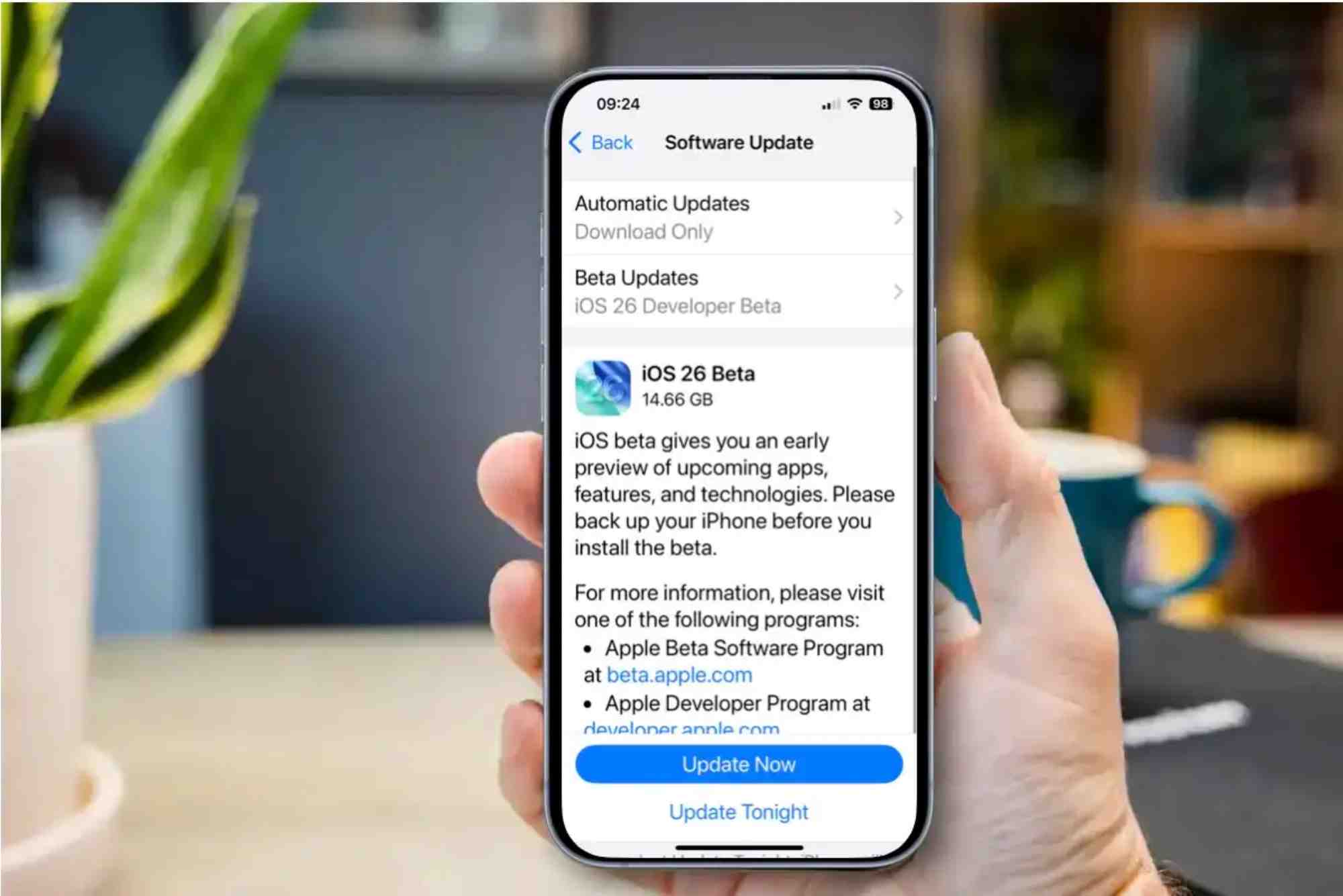
Installing the iOS beta is straightforward but should be done cautiously. You’ll need to enroll in Apple’s Beta Software Program or have a developer profile. Once signed in, you can download the beta configuration profile and update your device over the air.
Before you begin, make sure to back up your iPhone. Use iCloud or a Mac to create a full backup in case you need to roll back to a stable version.
Real-World Feedback From Beta Users
Feedback from early adopters has been generally positive. Users praise the smoother animations, practical updates to Siri and FaceTime, and stronger battery life. However, some minor bugs remain — like app crashes, screen flickers, or issues with third-party keyboards.
Developers are excited about the expanded API capabilities and improvements in SwiftUI, making it easier to build modern apps with less code and more flexibility.
FAQs
What does iOS beta software mean?
iOS beta software is a pre-release version of the iPhone operating system. It allows developers and early adopters to test upcoming features and provide feedback before the final release.
Is it safe to install iOS beta software?
While generally stable, beta software can contain bugs or performance issues. It’s best to install it on a secondary device or after backing up your data.
How do I download iOS beta software?
Enroll in the Apple Beta Software Program, install the beta profile, and update your device via Settings > General > Software Update.
Can I go back to the previous iOS version after installing the beta?
Yes, but you’ll need to use a computer and restore your device using iTunes or Finder. Always back up before installing a beta version.
What’s the difference between public beta and developer beta?
The developer beta is released first and may include more experimental features. The public beta is slightly more stable and intended for general users who want to test early features.












