
Best Chord Finder Software for Musicians and Guitarists
Finding the right chords can often be a challenging process for both beginner and experienced musicians. Whether you’re composing a song, learning a new piece, or improvising, the ability to quickly identify and use the right chord is essential. This is where chord finder software comes in — a valuable tool that helps musicians recognize, analyze, and learn chords instantly. From mobile apps to desktop programs, chord finders have evolved to become intelligent musical assistants that save time and enhance creativity.
What Is Chord Finder Software?
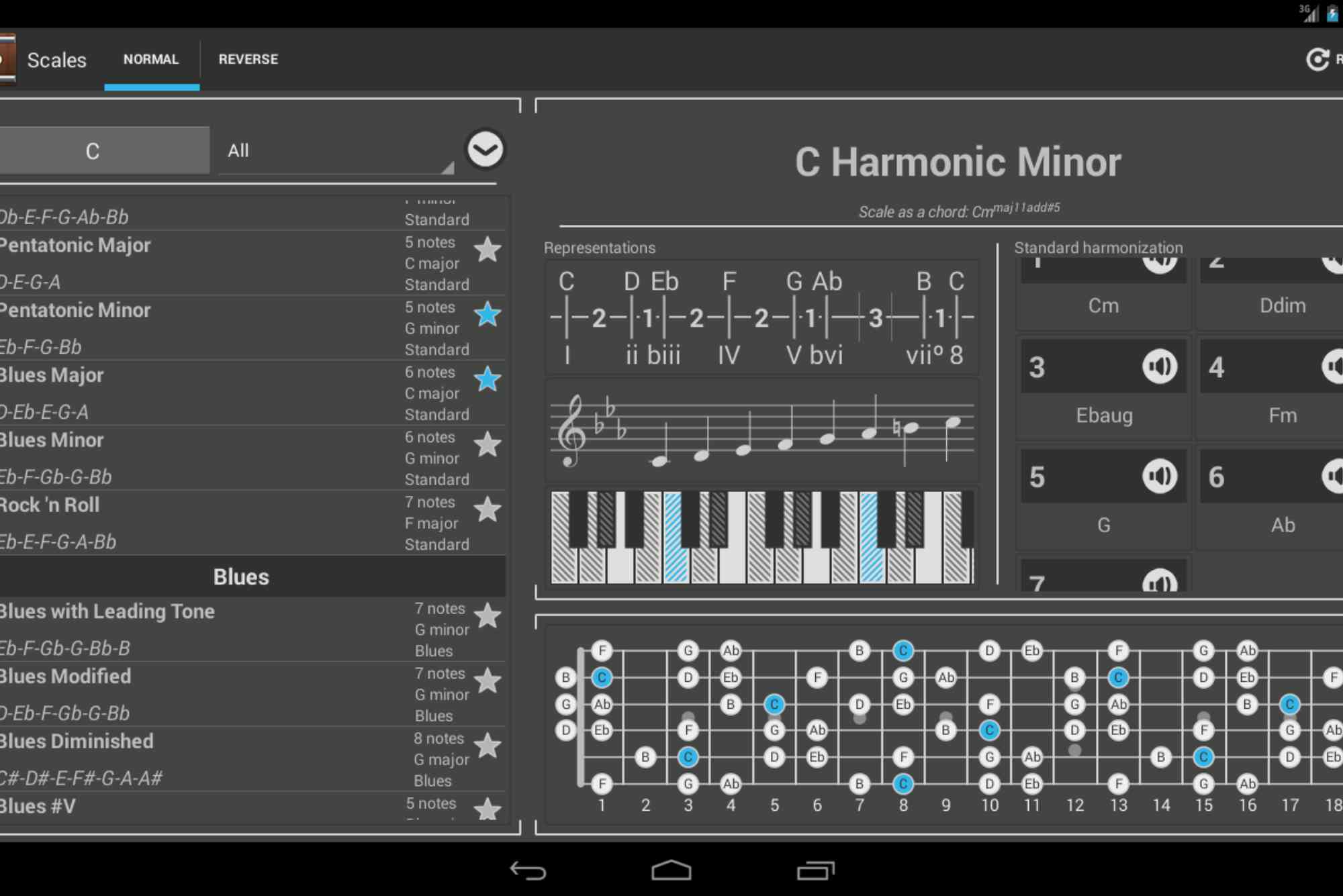
Chord finder software is a digital tool that helps musicians identify and construct chords. Some apps allow you to input notes, and the software tells you the name of the chord. Others provide visual fretboard diagrams or piano layouts, showing you how to play various chord shapes. Advanced tools go a step further by offering chord suggestions for songwriting, analyzing live audio input, or integrating with DAWs (Digital Audio Workstations).
This type of software is widely used by guitarists, pianists, songwriters, and producers. It simplifies the learning process and provides a quick reference for both simple and complex chords. Whether you’re on your phone or sitting in front of a DAW, a reliable chord finder can be an essential part of your musical toolkit.
Why Every Musician Should Use Chord Finder Software
One of the main benefits of chord finder software is speed. Instead of flipping through chord books or watching long YouTube tutorials, musicians can instantly find what they need. This can dramatically improve practice sessions and songwriting flow.
Additionally, chord finder software promotes accuracy. It reduces guesswork when analyzing chords or trying to replicate a song. If you’re transcribing music by ear, having a chord recognition tool by your side can validate what you’re hearing. It also enhances theory knowledge by showing how chords are built from scales, intervals, and inversions. For guitarists especially, learning alternate voicings and fingerings is easier with visual chord charts. Whether you play blues, rock, jazz, or pop, a good chord finder makes learning efficient and more enjoyable.
Features to Look for in a Chord Finder
Not all chord finders are created equal. Here are some features to consider when choosing the best chord finder software:

- User Interface: Look for intuitive layouts with visual guides. A clean interface helps you focus on learning rather than figuring out how to use the tool.
- Instrument Support: Some chord finders are guitar-only, while others support piano, bass, ukulele, and more. Multi-instrument support is ideal for composers.
- Reverse Lookup: This lets you input a set of notes or a chord shape, and the software tells you what chord it is. It’s especially useful when analyzing unknown chords.
- Audio Recognition: Advanced chord finders can listen to a song or live playing and identify the chords in real time.
- Chord Progression Tools: Many apps suggest progressions based on key or genre. This is helpful for songwriting and jamming.
- Customization and Tuning Options: For guitarists using alternate tunings, software that adapts to your setup is critical.
- Offline Access: If you’re often on the move or playing live, offline functionality is essential.
- Integration with DAWs: Some tools work inside DAWs like Ableton or Logic, making them perfect for producers and songwriters.
Benefits for Guitarists
For guitarists, chord finder software is like having a personal guitar teacher available 24/7. Beginners often struggle with memorizing chord shapes and understanding theory. A chord finder breaks this learning curve by offering visual finger placements, barre chord variations, and even alternate tunings like DADGAD or Drop D.
Intermediate players benefit from discovering new voicings and inversions. Jazz or fingerstyle guitarists can experiment with complex shapes, while rock or blues players can quickly find power chords or open chords for their riffs. Experienced players and songwriters can use these tools to build better chord progressions, find smooth transitions, and get creative with modulations. Having all this at your fingertips improves productivity, especially during writing sessions.
Popular Chord Finder Software for Musicians
There are several top-rated chord finder tools, both free and paid, for desktop and mobile. Each has its strengths, depending on your musical goals. Some apps specialize in guitar chords, offering fretboard-based visualizations. Others cater to pianists with chord voicings laid out on virtual keys. Cross-platform apps support both and often provide extra tools like scale finders, arpeggio builders, or MIDI export features.
A few examples include well-known apps with reverse lookup, audio detection, or full chord libraries. Some web-based chord finders require no installation and are ideal for quick checks, while full-featured software suits deeper analysis. Whether you’re looking for something basic and free or advanced and professional, you can find a tool that fits your needs.
How Chord Finder Software Helps in Songwriting
Songwriting can be an unpredictable process. One moment, you’re in the flow; the next, you’re stuck trying to find the right chord. Chord finder software helps break through these blocks by offering suggestions that fit the key, scale, or emotion you’re aiming for. Many programs allow you to set a key, choose a mood (happy, sad, dramatic), and generate chord progressions that suit your song. You can then tweak the chords, substitute them with variations, or add color tones like 7ths, 9ths, and 13ths.
This leads to more interesting songs and teaches you how different chords work together. Instead of sticking to common I–IV–V patterns, you might explore jazzy ii–V–I or modal progressions that expand your creative palette. Even if you’re not a theory expert, chord finders give you the tools to write musically rich compositions without overthinking.
Mobile vs Desktop: Which Is Better?
Mobile chord finders are perfect for on-the-go musicians. You can whip out your phone during a jam session or while practicing, and instantly check a chord or find a progression.
Desktop software, on the other hand, offers more power and precision. Larger screens allow for better visualization, and integration with MIDI controllers or DAWs boosts your production workflow. If you’re composing or recording music seriously, a desktop chord finder is a smart choice. For best results, many musicians use both. A mobile app for quick reference and a full-featured desktop tool for deeper work gives you flexibility and freedom.
Tips for Using Chord Finder Software Effectively
- To get the most out of your chord finder software, consider these tips:
- Practice actively. Don’t just look at chord shapes—play them regularly to build muscle memory.
- Explore variations. Don’t stop at major and minor chords. Try augmented, diminished, and suspended chords.
- Learn progressions. Use the software to understand how chords connect in real songs. Mimic progressions you hear in your favorite tracks.
- Use it with theory. Pair the app with music theory resources to deepen your understanding of keys, scales, and harmony.
- Don’t rely too much. Chord finders are tools, not crutches. Use them to enhance your skills, not replace them.
Chord finder software is more than a convenience — it’s a bridge between your musical ideas and real execution. Whether you’re a beginner learning your first chords, an intermediate guitarist crafting progressions, or a songwriter composing your next hit, these tools can unlock your creative potential. In the ever-evolving world of digital music, having the right software matters. Investing in a reliable chord finder software will save time, reduce frustration, and enhance your musical journey.
Try out a few options today, explore new chords, and elevate your playing or composing. The next great song might just be a chord away. Ready to level up your music? Start using a chord finder today and see the difference.
FAQ
What is the best chord finder software for beginners?
Many beginners prefer apps with visual aids and tutorials. Look for chord finders that offer step-by-step lessons and show easy finger placements on the fretboard or keyboard.
Can chord finder software recognize chords from audio?
Yes, some advanced chord finder apps can analyze live or recorded audio to detect and display the chords being played. This is useful for transcribing songs.
Are there any free chord finder tools available?
Yes, many chord finder apps and websites offer free versions. They may have limited features compared to premium tools but are often sufficient for basic needs.
Is chord finder software only for guitarists?
Not at all. While many apps are designed for guitar, there are chord finders for piano, ukulele, bass, and even voice. Some are multi-instrument friendly.
How accurate are chord detection features?
Accuracy varies depending on the software and the quality of the audio input. High-end apps tend to be more precise, especially when detecting complex or layered chords.
Can I use chord finder software with my DAW?
Some professional chord finders integrate with DAWs like Ableton, Logic, or FL Studio, allowing real-time chord assistance, MIDI chord progressions, and more.












