
Step-by-Step Guide to Payeer Wallet Login and Use
Payeer has become one of the most popular digital wallets for online transactions, crypto exchanges, and multi-currency management. Whether you’re a trader, freelancer, or everyday user, getting started with Payeer is easy—but knowing how to log in securely and use its full features is essential. In this complete guide, we’ll walk you through Payeer Wallet login, how to set up your account, and how to use it safely and effectively.
What Is Payeer Wallet?
Payeer is a global financial platform that offers online wallet services, currency exchange, and cryptocurrency support. It supports multiple currencies including USD, EUR, RUB, and several popular cryptocurrencies. Users can send and receive money internationally, exchange digital currencies, and even make payments online using a Payeer prepaid card.
Its versatility and low fees make it an ideal choice for freelancers, online businesses, and crypto enthusiasts.
How to Create a Payeer Account
Before discussing Payeer Wallet login, you must first create an account. Registration is simple and only takes a few minutes. You need a valid email address and a secure password. Once you confirm your email, Payeer provides a secret code and account number—both crucial for logging in and securing your wallet.
Make sure to save these details offline for extra safety.
Payeer Wallet Login Process
Let’s break down the exact steps for logging into your Payeer account securely:

Visit the Official Payeer Website
Always use the official Payeer website: https://payeer.com
Avoid third-party or unofficial links to prevent phishing or data theft.
Click on the “Login” Button
At the top right corner, you’ll see the login button. Click it to access the login screen.
Enter Your Account Number or Email
You can log in using either your account number or email address provided during registration.
Enter Your Password
Make sure to use the exact password you created. Payeer is case-sensitive, so double-check spelling and caps.
Complete the CAPTCHA
This step is a security measure to verify that you’re not a bot. Follow the prompt to continue.
Use Your Secret Code (If Enabled)
If you’ve set up two-factor authentication or enabled your secret code, you’ll be prompted to enter it here. This adds a strong layer of security.
Access Your Wallet
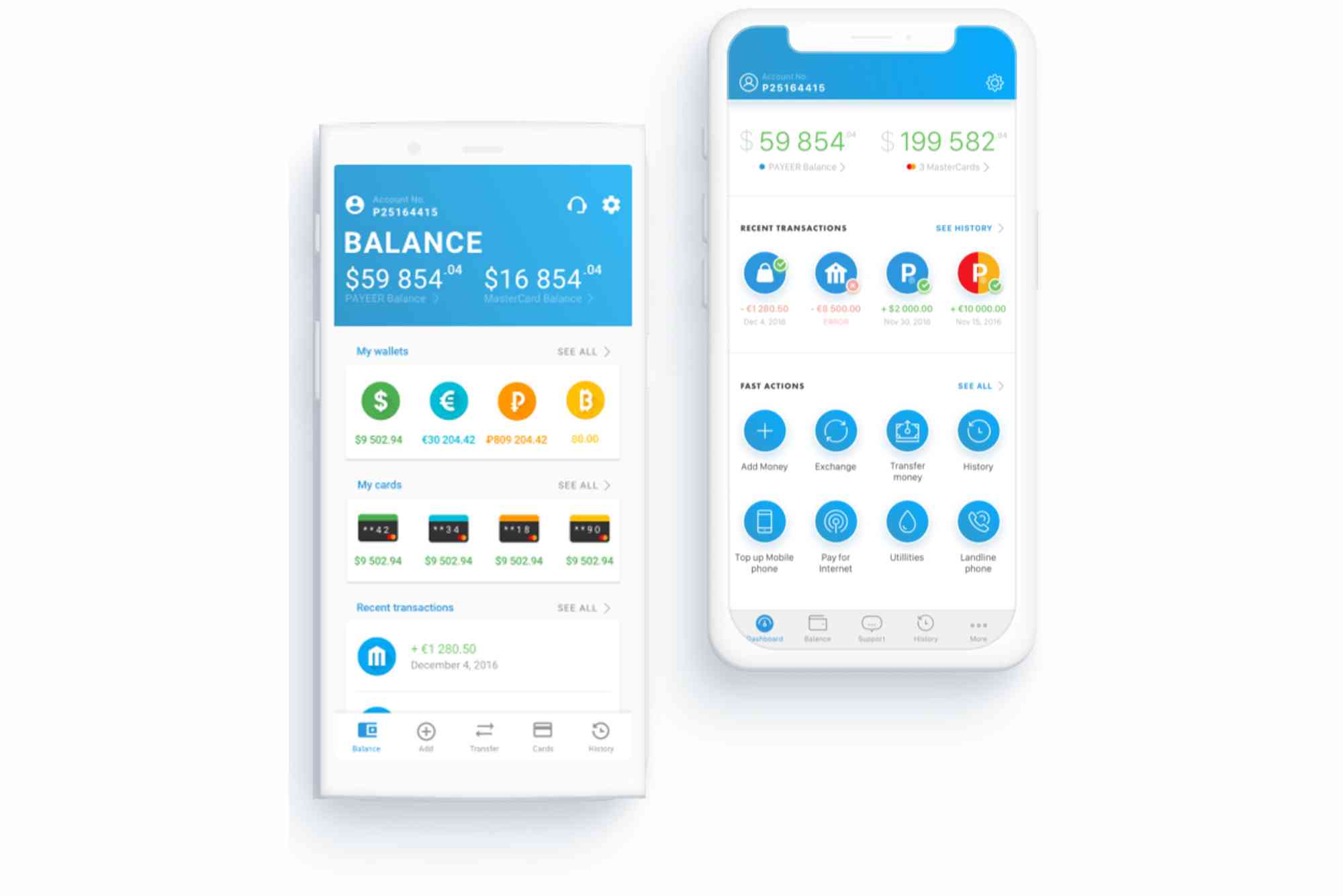
Once logged in, you’ll see your account dashboard. Here you can check your balance, view transaction history, and start using your wallet.
How to Use Payeer Wallet After Login
After successfully logging in, you can access a wide range of services. Let’s explore the main features and how to use them.
Sending Money via Payeer
To send funds, go to the “Transfer” tab. Choose the currency and input the recipient’s wallet number or email. Confirm the transaction and verify it with your security code if required.
Receiving Payments
You can receive money from other Payeer users, online merchants, or platforms that support Payeer. Simply provide your wallet address, and the funds will be added instantly.
Currency Exchange Feature
Payeer offers a built-in currency exchange system. You can convert USD to BTC, or RUB to ETH, for example. The rates are competitive and updates happen in real time.
Deposit and Withdrawal Options
You can deposit funds into your Payeer Wallet using:
- Bank transfers
- Visa/MasterCard
- Other e-wallets (Perfect Money, AdvCash, etc.)
- Cryptocurrencies
Withdrawals can be made using similar methods, depending on availability in your region.
Using Payeer for Online Shopping
Some online stores accept Payeer as a direct payment method. Simply choose Payeer at checkout and log in to complete your payment.
Security Tips for Payeer Wallet Login
Keeping your Payeer account safe is crucial. Here are a few simple but effective tips:
Enable Two-Factor Authentication
Two-factor authentication (2FA) provides added protection. You’ll need to enter a code from your phone each time you log in.
Use a Strong and Unique Password
Avoid using common or repeated passwords. Change your password regularly and never share it with others.
Monitor Your Account Activity
Check your transaction history frequently. If you notice any unauthorized activity, contact Payeer support immediately.
Don’t Share Your Secret Code
Your secret code is like a second password. Keep it safe and offline. Never send it via email or chat.
Payeer Mobile App Login
For users on the go, Payeer offers a mobile app for both Android and iOS. The login process is almost identical:
- Download the official app from the Play Store or App Store
- Open the app and tap “Login”
- Enter your email or account number
- Provide your password and verification code if required
- Access your wallet and start managing funds from your phone
The app is intuitive and secure, making it ideal for daily use.
Troubleshooting Payeer Login Issues
Sometimes you may face issues during login. Common problems include:
- Forgotten password: Click “Forgot Password” to reset via email.
- Wrong credentials: Double-check your account number and password.
- Blocked account: Contact Payeer support for assistance.
- Server downtime: Visit Payeer’s social channels to check for scheduled maintenance.
If problems persist, open a support ticket or email: support@payeer.com
Why Choose Payeer Over Other Wallets?
Payeer stands out for its multi-currency support, crypto integration, and international accessibility. You don’t need separate wallets for USD and BTC. With one account, you manage all. It also provides better exchange rates than many banks or traditional platforms.
Freelancers, crypto traders, and international users find it a practical solution that balances usability and security.
FAQs About Payeer Wallet Login
How do I find my Payeer account number?
You’ll receive your Payeer account number during the registration process. It usually starts with a “P” followed by numbers (e.g., P1234567). It’s also displayed in your dashboard after login.
What should I do if I forget my Payeer password?
Go to the login page and click on “Forgot Password?”. Follow the steps to reset your password using your registered email address.
Is Payeer wallet login safe?
Yes, as long as you use the official site and enable security features like 2FA and your secret code. Avoid using public Wi-Fi for financial logins.
Can I log in to Payeer from multiple devices?
Yes, but for extra safety, always log out when using shared or public devices. Also, check your security settings to monitor new logins.
Why is my Payeer account blocked?
It may be due to suspicious activity, password errors, or violation of terms. Contact Payeer support to resolve it.
Payeer is a powerful and versatile wallet, especially for users dealing with multiple currencies and crypto. Whether you’re sending money, receiving payments, or exchanging currencies, knowing how to log in and use Payeer Wallet properly gives you an edge.
Make sure you keep your credentials safe, enable two-factor authentication, and explore the features after each login. With this guide, you can confidently navigate your wallet and make the most of Payeer’s services.
Create your Payeer account today and enjoy seamless global transactions!












