
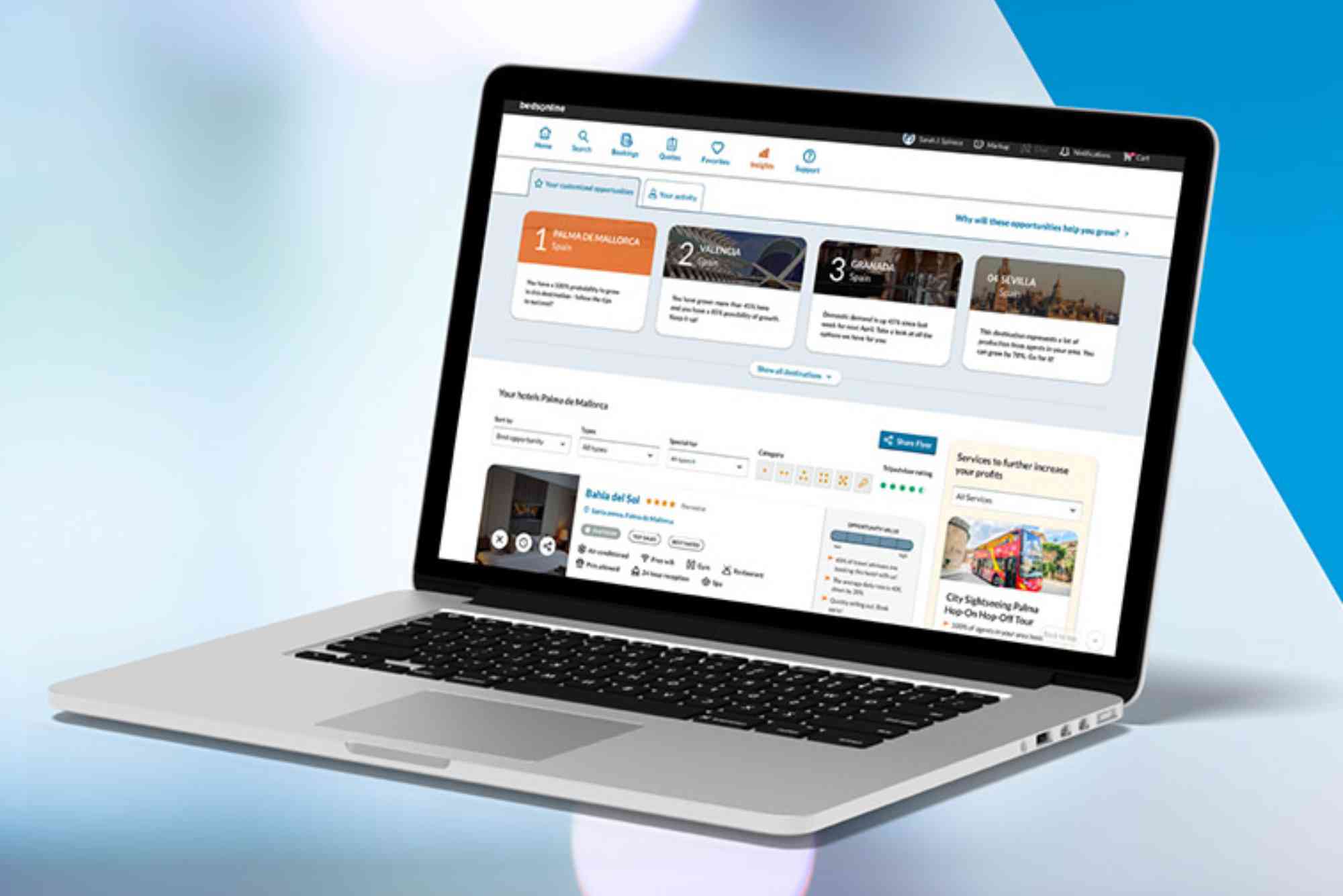
How to Use the Bedsonline Travel Agent Portal
If you’re a travel professional, managing bookings efficiently is crucial. The Bedsonline travel agent portal is a top-tier tool designed to simplify your workflow. Whether you’re searching for hotels, transfers, or tour packages, the portal helps you offer a seamless experience to your clients. In this guide, we’ll break down how to use the Bedsonline portal step-by-step, highlight key features, and offer expert tips to make the most of this platform.
What is the Bedsonline Travel Agent Portal?
The Bedsonline travel agent portal is a B2B (business-to-business) booking engine tailored specifically for travel agents. It offers access to thousands of global hotels, car rentals, activities, and transfers. This system is part of Hotelbeds, a leading global travel distribution company. Unlike traditional consumer sites, Bedsonline is built for industry professionals. It gives agents exclusive access to negotiated rates, curated content, and customizable itineraries. With a powerful search engine and intuitive dashboard, agents can manage quotes, finalize bookings, and communicate effectively with suppliers — all in one place.
Getting Started with the Bedsonline Portal
Before diving into daily use, you must first register as a travel agent. Go to the official Bedsonline website and click on the ‘Register’ or ‘Sign Up’ option. You’ll need to provide business details, such as your agency’s name, licensing information, and contact credentials. After submitting your application, you’ll receive login details upon approval. Once you’re in, the dashboard is your main hub. It’s where you access hotel inventories, manage bookings, and adjust client preferences. For new users, it might look overwhelming, but the layout is designed to guide you step-by-step.
How to Search and Book Hotels
The main feature of the Bedsonline travel agent portal is hotel booking. Use the search bar on the dashboard to enter the destination, travel dates, number of guests, and room preferences. Results load quickly, and you can filter them by star rating, location, board type, or price range. Clicking on a hotel gives you full details, including images, amenities, cancellation policies, and available rooms. The price displayed already includes your commission, which simplifies your accounting. When you’re ready to book, select the room and click ‘Continue.’ You can then enter your client’s details, review the booking summary, and confirm the reservation. You’ll receive an instant confirmation with a booking reference, which you can download as a PDF or email directly to your client.
Managing Bookings and Client Information
Bedsonline makes it easy to track and manage bookings. Use the “My Bookings” tab to view current, past, or cancelled reservations. You can filter these by date, destination, or booking status. Each entry has complete information, including customer names, payment status, and room types. If your client needs to make changes, the platform offers flexibility. You can amend travel dates, upgrade rooms, or even cancel, depending on the hotel’s policy. The interface is clean and responsive, which minimizes errors and saves you valuable time. Another key feature is the ability to store and manage customer profiles. This helps in tailoring offers and streamlining repeat bookings. You can save preferences, such as dietary needs, bed types, or preferred hotel chains, making future searches much faster.
Understanding Payment Options and Commission
The Bedsonline travel agent portal provides multiple payment methods. You can choose to pay online via credit card, bank transfer, or even set up credit terms if your agency qualifies. This is ideal for agents who need flexibility in their payment schedules. The commission model is straightforward. The price you see after logging in is already adjusted to include your earnings. This prevents confusion and helps you quote your clients with confidence. Monthly statements and commission reports are available under the “Finance” tab. You can download or export them to accounting software for easy reconciliation.

Tools and Features that Enhance Productivity
Bedsonline is more than just a booking engine. It comes equipped with helpful tools to make your job easier. One of the most used is the itinerary builder. This allows you to generate professional, branded documents that you can present to clients. These itineraries can include multiple services, like hotel stays, transfers, and excursions. The platform also offers access to high-quality images, property descriptions, and maps — all of which you can use in your proposals or marketing materials. Another valuable feature is the dynamic packaging tool. It allows agents to bundle different services together, often at a discounted rate. This can help you upsell and provide better value to your clients. The system also has built-in customer support features. You can raise service issues, request special accommodations, or communicate with local providers directly from the portal.
Customizing Your Agency Profile
Personalization is a significant part of the Bedsonline travel agent portal. Within your settings, you can customize the display language, currency, and communication preferences. More importantly, you can brand your documents with your agency’s logo and contact details. This ensures a professional look when sending itineraries or invoices to clients. The system also remembers your past searches, which helps in speeding up repeat tasks. Advanced users can even integrate the portal with their own CRM tools, making the Bedsonline experience part of a bigger sales ecosystem.
Training and Support for Agents
New users can benefit from various training resources available through the Bedsonline Academy. It includes video tutorials, step-by-step manuals, and webinar invitations. These are especially helpful when onboarding new staff or when learning about newly released features. For real-time help, a live chat function is available within the portal. You can also email or call customer service, which operates in multiple languages. Support agents are knowledgeable and often resolve queries on the first interaction.
Pros and Cons of Using Bedsonline
Like any platform, Bedsonline has its strengths and limitations. On the positive side, agents benefit from a vast inventory, competitive rates, and an intuitive interface. The ability to manage everything from one dashboard is a time-saver. Plus, having real-time availability data reduces the chance of overbooking. On the downside, some smaller markets may have limited options. Additionally, the interface, while powerful, may require a learning curve for agents not used to digital tools. However, the overall value it offers to travel professionals far outweighs any initial adjustment period.
Tips for Maximizing Your Use of Bedsonline
To get the most out of the Bedsonline travel agent portal, use filters wisely. Narrowing down your search saves time and leads to better matches for your clients. Stay updated with promotions. Bedsonline frequently offers flash sales or exclusive discounts — subscribing to email updates helps you stay in the loop. Make use of the “favorites” function. This allows you to save preferred hotels or services and access them quickly during client calls. Take advantage of the training materials. Even seasoned agents can learn something new or discover time-saving shortcuts. Lastly, always double-check booking conditions. While many hotels offer flexible cancellations, some come with strict policies.
Why Use the Bedsonline Travel Agent Portal
The Bedsonline travel agent portal is an indispensable tool for modern travel professionals. Its all-in-one design allows agents to search, book, manage, and promote travel services with ease. With its powerful backend, competitive rates, and personalized features, it enables agents to work smarter, not harder. If you’re a travel consultant aiming to grow your business and offer top-notch services to your clients, mastering Bedsonline is a must.
FAQs
What is the Bedsonline travel agent portal?
The Bedsonline travel agent portal is a booking engine created for travel agents. It provides access to hotels, transfers, and activities globally at agent-exclusive rates.
How do I register for Bedsonline as a travel agent?
You can register by visiting Bedsonline’s official website and filling out the agent application form. Once approved, you’ll receive login details to access the portal.
Can I book transfers and excursions through Bedsonline?
Yes, Bedsonline allows you to book a wide range of services beyond hotels, including airport transfers and destination activities.
Do I earn commission on every booking?
Yes, commission is built into the final price you see on the portal. You can review your earnings in the Finance section of your dashboard.
Is there a mobile app for the Bedsonline portal?
Currently, Bedsonline functions best on a desktop browser. However, their website is mobile-friendly for on-the-go access.
What if I need to cancel or change a booking?
You can manage cancellations or amendments through the “My Bookings” section. Always check cancellation policies before confirming a change.
Does Bedsonline provide customer support?
Yes, you can access customer support via live chat, email, or phone. They also offer training through the Bedsonline Academy.












